STM32 ARM Arduino Mini System Dev Board (Blue Pill) with Arduino Bootloader
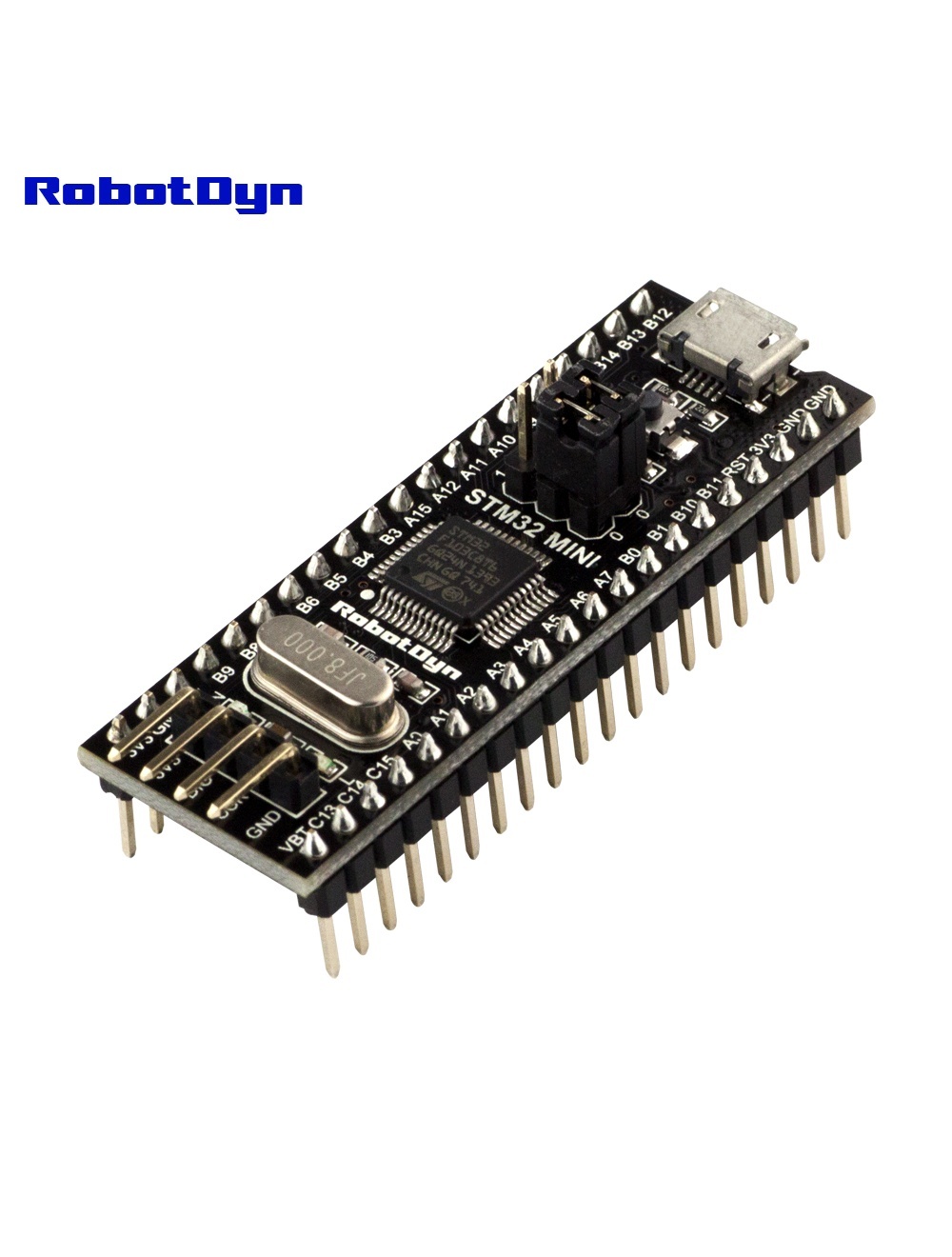
Overview
The RobotDyn STM32 Blue Pill comes with the STM32duino bootloader pre-flashed, allowing you to upload sketches directly from the Arduino IDE over USB — no ST-Link debugger required. This is the key difference from generic Blue Pill clones, which ship with stock ST firmware and require an external programmer for first upload.
The board uses an STM32F103C8T6 running at 72 MHz — significantly faster than ATmega-based Arduinos (16 MHz Mega/Uno), with 32-bit ARM Cortex-M3 instructions, hardware floating-point on some operations, and 12-bit ADCs (vs. 10-bit on classic Arduinos).
Why Choose This Over a Standard Blue Pill?
- No ST-Link needed — saves $5–10 and a soldering session
- First sketch uploads via USB out of the box
- Compatible with Arduino IDE without bootloader-flashing rituals
- Otherwise identical to standard STM32F103C8T6 boards — same pinout, same peripherals
Pinout Overview
The board breaks out most of Ports A, B, and C:
- PA0–PA15 — most general-purpose pins, ADC inputs on PA0–PA7
- PB0–PB15 — additional GPIO, I²C/SPI on common pins
- PC13–PC15 — including the onboard LED on PC13
Power rails on both sides: 3.3 V, 5 V (from USB), GND, Vbat (RTC battery).
Boot Mode Jumpers
Two onboard jumpers control startup behavior:
| BOOT0 | BOOT1 | Mode |
|---|---|---|
| 0 | 0 | Run from main flash (normal) |
| 1 | 0 | Run from System Memory (factory ROM bootloader for serial upload) |
| 1 | 1 | Run from embedded SRAM (rarely used) |
Leave both at 0 for normal Arduino operation.
Programming in Arduino IDE
- Install the STM32duino core
- Tools → Board → STM32F1 series → BluePill F103C8
- Upload method → STM32duino bootloader
- Select your USB port and upload
Related Products
- STM32F303CCT6 Black Pill — Cortex-M4 with 256 KB flash
- STM32F103 (ST firmware) — same chip without Arduino bootloader
Documentation
- Pinout PDF — coming soon
- STM32duino bootloader source — coming soon